

Media2URL vs ImageKit: Media Management and Delivery Compared

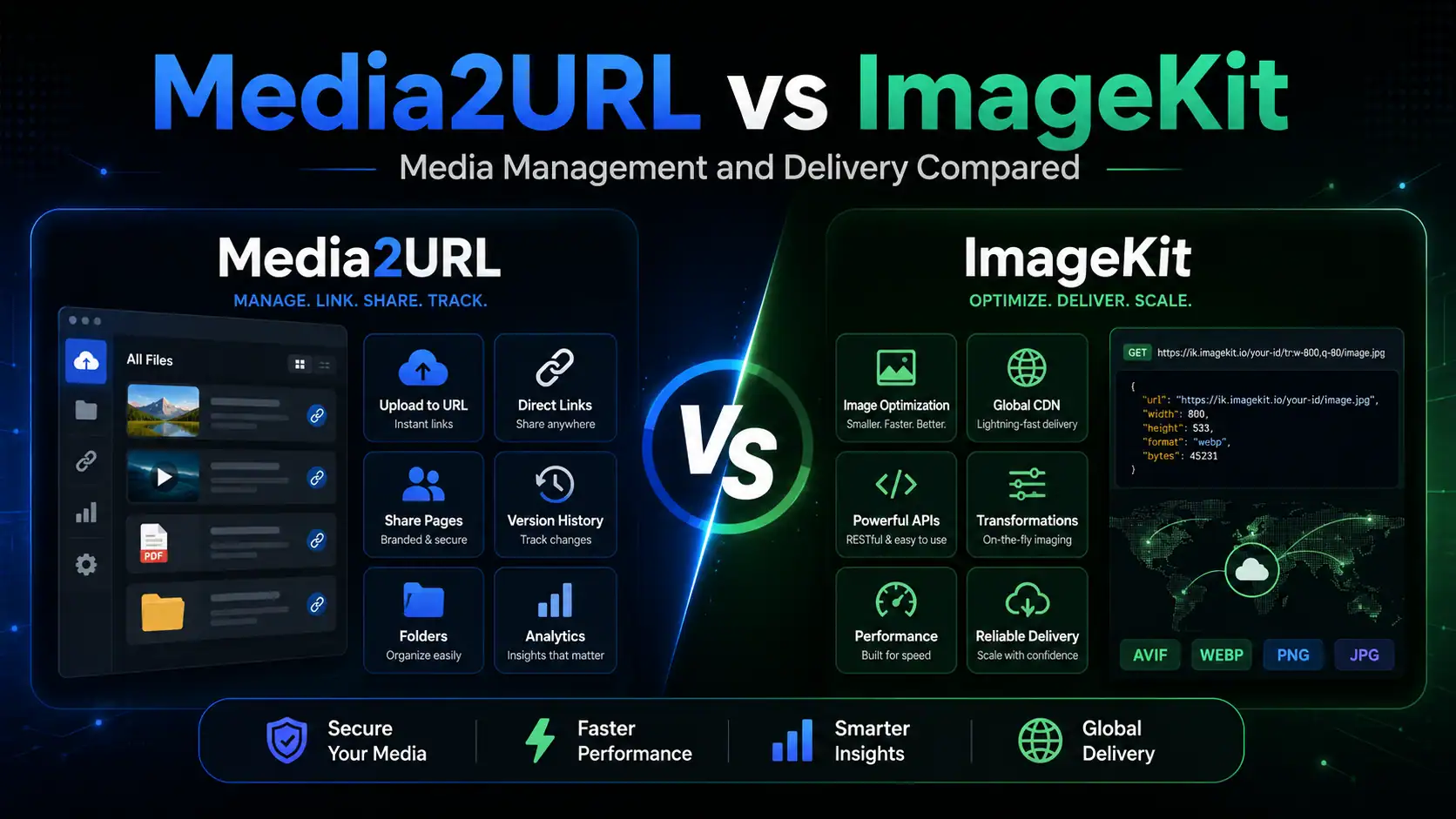
A media platform may look simple while a team is only uploading files. The differences appear once those files must be resized for an application, reviewed by other people, organised across projects or shared outside the company.
ImageKit combines in real time image and video processing with a full Digital Asset Management platform. Its workflow goes from transformations based on the URL and developer integrations to asset search, versioning, permissions and collaboration inside the DAM.
Media2URL starts from a different workflow. Files can be uploaded or brought into a visual workspace, organised and processed there, then shared through direct or controlled links. Images, PDFs, videos, GIFs and audio files have their own available tools instead of the platform concentrating mainly on application level image and video delivery.
The two platforms now overlap across hosting, media management and team access. Their main difference is the way those capabilities are delivered and the type of workflow each platform places first.
Quick answer
Choose ImageKit when images or videos need to change as part of a website or application delivery workflow. Its in real time transformations, APIs and SDKs, external storage integrations and adaptive video delivery make more sense when media behaviour is closely connected with the product's code and infrastructure.
Choose Media2URL when most of the work happens around the file itself. A team can organise media in visual workspaces, process different file types, create direct links and keep access or replacement controls connected with the hosted asset.
There is meaningful overlap between the two. ImageKit goes much deeper into in real time image and video delivery, developer integrations and assisted by AI DAM workflows. Media2URL puts more of its attention on dashboard based media preparation and the lifecycle of the link after a file has been uploaded.
ImageKit is built for in real time delivery and optimization
ImageKit’s main strength remains in real time media delivery. A developer can connect an existing storage source or use the ImageKit Media Library, then request resized or optimised versions through URL parameters and SDKs.
An image can be cropped, resized or converted without saving every output as a separate file. ImageKit also supports video operations available when requested such as trimming, thumbnail generation and adaptive bitrate streaming.
Its Digital Asset Management system now covers much more than folders and basic permissions. Teams can use folders, collections, tags, custom metadata, saved searches and powered by AI visual search to manage large asset libraries.
ImageKit also provides large asset granular permissions for files and folders, asset comments, audit history and public links with password or expiry controls. Its DAM Agent can search assets, work with metadata and produce transformation URLs through natural language requests.
Media2URL offers a visual media workspace and controlled sharing
Media2URL places the dashboard at the centre of the workflow. A person can upload an asset, organise it, process the file and create the required link without building the complete workflow through code.
Its image editor works with editable layers rather than only producing a transformed delivery URL. The editor includes visual adjustments, crop controls, drawing tools, text, shapes, stickers and export settings for JPEG, PNG or WebP files.
Dedicated workspaces are also available for PDF, video, GIF and audio processing. A PDF can be merged, split, reorganised, protected or converted, while supported video and audio files can be trimmed or changed into another format.
Teams can separate client projects through isolated workspaces and invite members as Owners, Admins, Editors or Viewers. Each workspace also has its own folders, activity records and access settings.
Public, unlisted, private and protected by a password files can be managed from the dashboard. Depending on the available plan and file type, the same workflow can include expiry rules, view or download limits, signed delivery and file versions. Media2URL also has a wider Media Migration workflow for bringing supported existing media into the workspace instead of limiting the job to a small group of individual URL imports.
Media2URL also supports image transformations based on the URL for supported outputs. A stored image can therefore provide another size, crop or format without requiring every variation to be uploaded as a separate asset. ImageKit still goes considerably further when in real time transformation and delivery need to run throughout an application.
Where the Two Platforms Now Overlap
The comparison is no longer as simple as developer infrastructure versus a basic visual uploader. Both platforms now include structured media libraries, editing controls, file versions, collaboration features and external sharing.
ImageKit has a mature DAM with granular asset permissions, comments, AI search and workflow automation. Media2URL provides isolated workspaces, fixed member roles and integrated processing tools for several file types.
Both platforms also support image transformations. ImageKit produces transformed assets through a mature delivery system that works in real time, while Media2URL provides both available when requested image parameters and a separate editing environment built around layers.
The decision therefore depends on where the difficult part of your workflow sits. ImageKit is strong where an application must produce and deliver many media variants automatically, while Media2URL is built around preparing and controlling files from one visual workspace.
Main feature comparison
| Capability | ImageKit | Media2URL |
|---|---|---|
| Main platform focus | Real time media API, delivery infrastructure and powered by AI DAM | Visual media workspace, direct file links and dashboard processing |
| Image and video delivery | Global CDN with automatic optimisation | Hosted direct links with managed delivery controls |
| Image transformations available when requested | Extensive resizing, cropping, overlays and AI transformations selected through the URL | Size, crop, fit, position, quality and format controls selected through the URL with supported WebP or AVIF output |
| Video transformations available when requested | Real time resize, crop, trim, thumbnails and adaptive streaming | Dashboard based compression, trimming and format extraction |
| Media library | Folders, subfolders, collections and custom metadata | Nested folders, tags, bookmarks and bulk asset actions |
| Search | Advanced filters, saved searches and powered by AI visual search | Command search across filenames, tags and supported file types |
| AI capabilities | DAM Agent, AI tagging, visual search and generative transformations | No separate AI workflow is currently included |
| Visual image editor | Visual transformation editor with crop, resize, focus and AI edits | editor built around layers with adjustments, drawing, shapes, text and stickers |
| PDF tools | PDF storage and delivery with supported page or thumbnail extraction | Dedicated PDF workspace for merge, split, page organisation, watermarks, numbering, compression, passwords and metadata |
| GIF tools | Storage, delivery and supported image transformations | Speed control, reverse playback and colour compression |
| Audio tools | Audio files can be stored and delivered as assets | Audio trimming, output controls and supported format or bitrate conversion |
| Team access | Granular permissions for accounts, files, folders and collections | Isolated workspaces with Owner, Admin, Editor and Viewer roles |
| Collaboration | Comments, notifications, user groups and public collections | Workspace invitations, role management and shared folders |
| Audit records | Asset history and central audit logs | Workspace audit logs with supported CSV export |
| Public sharing | Public asset and collection links with passwords and expiry dates | Public, unlisted, private and file protected by a password links |
| Limited access | Signed URLs and limited by time public links | Expiry, view and download limits, access that can be used once and signed delivery where supported |
| File versioning | Full asset versions with restore and version search | Visual file history with overwrite and supported replacement options |
| Cache after replacement | Dashboard version uploads clear cached transformations automatically | Managed replacement keeps the published Media2URL link active |
| External imports | DAM uploads from supported cloud sources plus connected external storage origins | Media Migration from supported URLs or cloud sources with deduplication and mapping from each source to its new URL where available |
| Link diagnosis | Delivery logs and developer troubleshooting tools | without code Link Doctor for status, redirects, CORS, content type and byte range behaviour |
| APIs and SDKs | Extensive APIs and framework specific SDKs | No public Media2URL API; dashboard workflows |
| Suitable users | Developers, DAM teams and larger media operations | Creators, agencies, support teams and small businesses |
The overlap is wider than the basic product descriptions may suggest. ImageKit has substantial visual DAM and collaboration features alongside its developer tools, while Media2URL now covers more than uploading a file and copying its direct URL.
ImageKit still has a clear advantage in real time delivery, SDK coverage and powered by AI asset workflows. Media2URL has a different advantage where a user wants several file processing tools and link controls inside the same visual account.
Delivery Infrastructure Versus an Integrated Media Workspace
A development team may have one product image that must appear in several card layouts, search results and mobile screens. ImageKit can generate each required version through the delivery URL without asking the team to save every size as a separate asset.
The same platform also gives content teams a visual DAM, so it should not be described as a tool that only developers can use. Its main advantage appears where media delivery must react to application requirements at request time.
Media2URL can also create supported image variations through URL transformations, so using its visual editor is not required every time another size or crop is needed. The difference is depth and purpose. ImageKit builds in real time transformation into a much broader image and video delivery system, while Media2URL keeps URL transformations alongside its dashboard based file and link workflows.
A creative agency may face a different problem. Its team may need separate client libraries, editable promotional files, PDF preparation and links that follow a selected access rule.
Media2URL handles those tasks from the workspace itself. The team can prepare the asset first and copy the appropriate direct, share or download link after the file is ready.
Version history and file replacement
Both platforms provide proper asset versioning. The difference is not whether an earlier file can be restored, but how the version enters the workflow and how the resulting asset is delivered.
ImageKit creates a new version when a file with the same name and location is uploaded under the relevant setting. Users can inspect previous versions, restore one of them or remove a non current version from the dashboard or through the API.
A new version uploaded through the ImageKit dashboard also clears cached transformations for that asset. It is therefore inaccurate to say that every dashboard replacement requires a manual cache purge or a wait for cache expiry.
Media2URL presents the same type of work through a visual file timeline. A user can overwrite the active version, create a new version, save a derivative or export the result as a separate asset.
The published Media2URL link can remain in place while the hosted file is updated. An earlier version can be restored when the replacement contains a mistake or the previous design is needed again.
Team Collaboration and Workspace Control
Both platforms now support serious team workflows, but their permission models are structured differently.
ImageKit can assign access at the account, file, folder or media collection level. Restricted users and user groups may receive permissions ranging from access that allows viewing but not editing to the ability to manage an asset and share it with other people.
Its DAM also supports asset comments, notifications and audit records. This makes it suitable for teams that need detailed control over who can work with a particular group of assets.
Media2URL uses isolated workspaces as its main boundary. A company can keep each client, product or internal project separate, then invite members as Owners, Admins, Editors or Viewers.
Workspace invitations use expiring tokens and can be revoked or generated again. The activity log records supported changes such as uploads, renamed files, metadata edits and member role updates.
Media2URL owners can export supported audit records as CSV files. A workspace can also be deleted with its related records and stored assets when the project is permanently closed.
Image Editing and Other File Processing
ImageKit now has a visual editor inside its Media Library. A user can select an image, apply resizing or crop settings and copy the transformed URL without manually writing every parameter.
The editor is closely connected with ImageKit’s transformation system. It can also use paid AI operations such as background changes and generative fill, while the original file remains inside the library.
Media2URL follows an editing model built around layers. Text, shapes, drawing elements and image adjustments can remain part of the visual editing workflow instead of the editor acting only as a way to construct another delivery transformation.
The larger difference appears once the file is not an image. Media2URL has dedicated workflows for PDF operations such as merging, splitting, page organisation, watermarks and compression. Separate tools also cover supported video trimming or compression, GIF changes and audio preparation.
This does not make Media2URL stronger in every form of media processing. ImageKit has considerably greater depth in real time image and video delivery. Media2URL is more useful when the work involves manually preparing several different file types from the same dashboard.
Sharing Links and Access Rules
Password protection and expiry are not unique to Media2URL. ImageKit also allows DAM assets and media collections to be shared through public links with a password or selected validity period.
ImageKit can protect private delivery through signed URLs as well. These controls work well when a development team needs secure access to application media or a DAM team needs to share a collection with someone outside the account.
Media2URL offers public, unlisted, private and protected by a password states at the hosted file level. Depending on the supported plan and file type, access can also use expiry rules, access that can be used once, view or download limits and signed delivery.
Signed delivery is useful when possession of a permanent public URL is not enough protection. A signed URL available for a limited time can stop working after its allowed period, while the signing configuration can be rotated when existing signed access needs to be invalidated more broadly.
Media2URL then keeps those controls close to the hosted asset itself. Link Doctor and other available link management controls remain accessible after the URL has already been published, which matters when the problem appears later rather than during the first upload.
When a media URL works in one place but fails in another
A direct media URL can open normally in a browser and still behave differently when it is used inside a website or player. A video may load but refuse to seek properly, or an image may fail inside an editing workflow that runs in a browser because the server does not return the expected cross origin headers.
Media2URL's Link Doctor checks reachable URLs for response status, redirects, content type, CORS and byte range behaviour. The byte range check is particularly useful for video because players often depend on partial content responses when someone skips forward instead of downloading the complete file from the beginning.
ImageKit approaches troubleshooting from the delivery and developer perspective through its platform tools and request behaviour. Link Doctor gives Media2URL a different workflow for someone who wants to inspect a media URL without building the diagnosis into code.
Importing Existing Media
Moving an existing media setup is different from uploading a few new files. The important question is whether the original storage should remain part of the delivery system or whether the files should actually be moved into the new platform.
ImageKit can connect external origins such as S3 compatible storage and Google Cloud Storage. In that setup, the original files can remain in their existing storage while ImageKit handles supported optimisation, transformation and delivery in front of them. Assets can also be uploaded into the DAM from supported external sources.
Media2URL's Media Migration workflow is designed around bringing supported files into the Media2URL workspace. Public URLs or available cloud sources can be processed as migration jobs, with duplicate checking and mapping from each source to its new URL available through the supported workflow.
That creates a real difference between the two products. If an organisation wants to leave a large media library in its existing storage and place a transformation and delivery layer in front of it, ImageKit is the more natural fit. If the goal is to host again supported media inside Media2URL and continue managing the resulting assets and links there, Media Migration fits that workflow better.
When ImageKit is the suitable choice
ImageKit may fit the project when media delivery is closely connected with the website or application code.
- Your website or application needs image or video variants to be generated at delivery time through URLs, APIs or SDKs.
- Existing media should remain in an external storage origin while another platform handles supported optimisation, transformation and delivery.
- The DAM needs granular asset permissions, advanced search, assisted by AI workflows or deeper collaboration controls.
- Video delivery depends on capabilities such as in real time transformations or adaptive HLS/DASH streaming.
ImageKit may also suit a larger content team that needs granular asset permissions, comments and enterprise DAM controls. It should not be selected only because developers are involved, since its visual DAM now serves content and creative teams as well.
When Media2URL is the suitable choice
Media2URL may fit the project when a team wants to complete most of its work through one visual account rather than assemble separate tools for each supported file type.
- Client projects or internal teams need separate visual workspaces where files, members and activity remain organised together.
- PDFs, images, videos, GIFs or audio files need practical dashboard based editing or processing before their links are shared.
- Hosted files need direct links together with supported expiry, limited access, signed delivery, replacement history or link diagnostics.
- Existing media needs to be brought into Media2URL from supported URLs or cloud sources while keeping mapping from each source to its new URL where the migration workflow provides it.
Media2URL may also suit an individual creator, agency or smaller team that has no reason to build its media workflow around a large API and SDK stack. Its main value is the connection between the media library, practical file processing tools and the controls that remain available after a link has been created.
Summary
ImageKit combines a mature DAM with extensive in real time image and video processing. It makes particular sense when media delivery is part of an application itself, especially when developers need URL transformations, APIs, SDKs, external storage origins or adaptive video delivery.
Media2URL approaches the problem from the file and link side. A team can keep different media types inside visual workspaces, prepare supported files, create the required links and return later when access, replacement or troubleshooting needs to change.
The easiest way to separate them is to look at the difficult part of your own workflow. If the question is “How should my application generate and deliver the right media version at request time?”, ImageKit is likely the stronger fit. If it is “How can I prepare, organise, share and continue managing these files and their links from one visual workspace?”, Media2URL is closer to that job.
Neither product needs to be presented as the universal winner. Their overlap has increased, but the workflow each platform puts first is still different enough to make the choice meaningful.
Comparison review note: This page was reviewed on August 18, 2026 using ImageKit's current official product documentation and features available in the current Media2URL platform. Product features, plan availability and usage limits can change, so check the relevant product page when a particular capability is critical to your workflow.
Frequently Asked Questions
Is Media2URL a direct alternative to ImageKit?
Media2URL overlaps with ImageKit across media hosting, asset organisation, file versions, sharing controls and supported image transformations. It is not a replacement for the full ImageKit API, SDK and in real time delivery system. Media2URL is closer to an alternative when the main requirement is a visual workspace for preparing files and managing their links.
Which is better for in real time image and video transformations?
ImageKit is stronger when transformations must happen dynamically as part of website or application delivery. Its platform provides extensive in real time image and video transformations together with APIs and SDKs. Media2URL also supports image transformations based on the URL, but its wider workflow remains centred on the dashboard, hosted files and link management.
Why would a team choose Media2URL over ImageKit?
Media2URL makes more sense when the same account needs to handle different file types and the work continues after the initial upload. A team can organise media, process supported PDFs, images, videos, GIFs or audio and apply available link controls without building the workflow around a public API.
Does ImageKit have a visual image editor?
Yes. ImageKit has an editor that runs in a browser inside its DAM for visually applying supported transformations instead of manually building every transformation URL. Media2URL uses a more editing workflow organized around layers and connects that editor with its broader set of file and link tools.
Do both platforms support file version history?
Yes. ImageKit keeps versions of DAM assets and allows previous versions to be restored. Media2URL also provides managed file history and supported replacement options, which is useful when an already published asset needs to change without starting the sharing workflow again.
How do ImageKit and Media2URL handle existing media?
ImageKit can connect supported external storage origins so existing files can remain in their current storage while ImageKit provides transformation and delivery. Media2URL's Media Migration workflow instead focuses on bringing supported files into the Media2URL workspace and providing mapping from each source to its new URL where available.
Which platform is better for PDFs, audio or GIF processing?
Media2URL has dedicated dashboard tools for these file types, including PDF operations, supported audio processing and GIF controls. ImageKit can manage and deliver a broad range of assets, but its deeper transformation and delivery capabilities are concentrated on images and video.